When a Browser Game Actually Needs a Keyboard
A browser game ships one build to a desktop with a keyboard and a phone held in one hand, and it is not allowed to ask which one it is talking to. That is the format’s central input problem, and most publishers respond to it by saying nothing at all. In our catalogue, fewer than one game in five arrives with any statement about what it wants you to press or touch.
We record that as a field rather than papering over it. Each game is marked with where its control information came from — the publisher’s own text, direct observation, or nowhere — and the sync that rebuilds the catalogue aborts if any game’s how-to-play steps name an input while that field says nowhere. It is a blunt rule and it produces some awkward pages, but the alternative is a site full of plausible key bindings that nobody checked, which is the specific way this whole category of site becomes useless.
What it also produces, unintentionally, is a sample. The games whose publishers did document controls are a self-selected group, and once you line them up the reason they bothered becomes fairly obvious. It is not that they are harder or deeper than the ones that stayed quiet. It is that they have more than one thing being controlled at once.
Reason one: there are two of you
The most obvious group is games built for two people at one keyboard, and the reason is structural. A game like that cannot leave input unstated, because the whole design depends on two players knowing which half of the keyboard is theirs before the first round starts. Silence would break the game.
Drunken Boxing 2 is the compact version: player one on the arrow keys, player two on the W, A, S and D cluster, first to five wins the match, with an energy bar that empties if you throw too much and leaves you standing there. Two people, one board, one keyboard split down the middle.
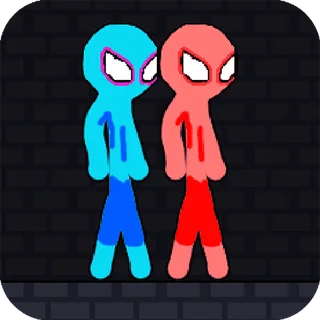
Green and Blue Cuteman and Red and Blue Stickman Rope are both co-op platformers where two characters have to reach the same exit — a flag in one, a door behind a key in the other. Both document the arrows-and-WASD split and both offer mobile touch controls as an alternative. Neither publisher says whether one person can work both characters, and neither claims the levels are impossible alone; what both say plainly is that the game is written for two, and that is enough to force the keyboard question into the open.
The driving games take it furthest. Night City Racing and Ultimate Flying Car each publish a full two-column control table, with each player getting not just steering but their own nitrous, their own look-behind and their own key for putting the car back into position. That is a lot of keyboard to allocate, and the allocation is the reason the publisher wrote it down.
Same-device multiplayer is one of the few things this format does better than the commercial one, because there is no account to create and nothing to install before you hand somebody the other half of a keyboard. It is also the clearest case where a phone is genuinely the wrong device, and where the answer to “does this need a keyboard” is simply yes.
Reason two: two things need controlling at once
The second group is single-player, and what they have in common is that movement and something else are happening simultaneously and independently.
Puppets Cemetery is the cleanest example. Its publisher documents movement on either the WASD cluster or the arrow keys, aim and fire on the mouse, and weapon pickup on the right mouse button, the E key or the spacebar. The design consequence is the thing worth knowing: you can retreat in one direction while firing in another. That is not a difficulty setting, it is a different game from one where your gun points where you are walking, and it is only possible because two input devices are available at the same time.
Stickman Archero Fight does the same split with a third element attached: the cluster moves, the left mouse button hits, and E interacts with items in the world. Once a game has a verb that is neither movement nor attack, it needs somewhere to put it, and a keyboard is the only place a browser game has.
This is the honest version of the “needs a keyboard” claim. Not complexity, not difficulty, not seriousness. Simultaneity. If two independent things must be commanded in the same instant, a single thumb cannot do it, and no amount of on-screen buttons fixes that.
Reason three: verbs that are not movement
The third group is smaller and more interesting, because the extra key does something that changes how the game is understood.
2D Platformer Coin documents the ordinary movement cluster and then one more thing: holding the space bar while airborne makes the character descend slowly, as though gravity had been switched off. That is a modifier rather than an action, and it is the sort of mechanic that is nearly impossible to communicate without naming the key. A publisher that leaves this out has not just omitted a control, it has omitted the game.
Supermarket Expert Idle documents three separate ways to move the same character — arrow keys, the WASD cluster, or the mouse — which is a different kind of admission. A game that offers you the choice is telling you it does not much care, and that the interesting part is elsewhere, in stocking departments and working a checkout.
Red Impostor Guys is worth singling out for a detail almost nobody bothers with. Alongside the arrow keys and the WASD cluster it lists the Z, Q, S and D layout, which is what the same physical keys are called on a French AZERTY keyboard. That is the only game here whose publisher appears to have considered that a browser game is served to whoever clicks the link, on whatever hardware they own. It is a small thing and it is more thought than most of this catalogue has had.
The games that documented the opposite
Not every documented control is a keyboard control, and the ones that go the other way are equally useful, because a stated pointer-or-touch input is a promise that nothing is missing on a phone.
DD Blocky ends its blurb with what is plainly a spec sheet rather than prose — age rating, orientation, single player, and controls given as mouse or touch. It is not good writing but it answers the question. Drink Drive Survive states pointer or touchscreen as the way to steer, and since the entire design is about the car not going where you asked, the input being simple is the point rather than a limitation.
Both of these are games where the phone is not a compromise. That is worth stating explicitly, because the usual failure mode of an article like this is to imply that keyboard games are the real ones.
What the silence means
For the large majority of the catalogue there is no statement either way, and it is worth being precise about what that does and does not tell you.
It does not mean the game has no keyboard controls. It does not mean it works one-handed. It means the publisher did not say, and that we have chosen not to guess on their behalf, because a wrong key binding is worse than an absent one: it sends you looking for a control that is not there and makes you conclude the game is broken.
What the field does give you is a filter you can act on. If you are on a desktop and you want something built for the hardware in front of you, the games above are the ones whose publishers said so in writing. If you are on a phone, the last two are the ones with a stated answer. Everything else in the catalogue is a question mark, and it is going to stay one until somebody plays it.